








About SFIA Assessments
Overview
APMG is a SFIA Approved Assessment Partner and can help your organisation conduct skills assessments.
SFIA Skills Assessors

Useful links
Useful links
-
Blog - What is SFIA?
-
SFIA Foundation
-
SFIA 9 Multi-View tool
-
Free self-assessment
-
See SFIA In Action (Arnold Clark Case Study)
Documentation
Documentation

Success in 1 2 3
Over 2.6 million people in 192 countries have an APMG certification. Our certifications are used by 80% of the FTSE 100 and a third of the Fortune 500 and S&P 500, and are proven to deliver better outcomes.
Select your certification
APMG certifications can advance your career, build your confidence and help you transition into a new field. Browse our careers section for inspiration or visit our certification pages for details of what you’ll learn and how you will benefit from certification.
Choose your learning style
APMG is not a training provider. Please contact accredited training organizations listed on our website for prices, languages and dates. Alternatively, you can self-study for an exam directly through APMG.
Pass the exam & receive a certificate
When you are ready to take your exam, book an online timeslot yourself with APMG, or your training organization may organize this for you. If you pass your exam APMG will issue you with a digital badge for you to share!
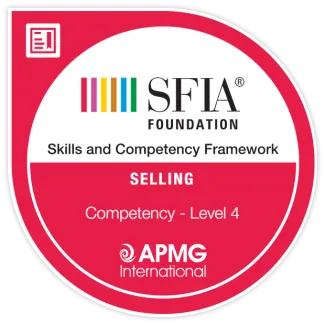
SFIA Assessments levels
Videos
Videos
Skills Management and SFIA
Building Skills, Building Futures: How SFIA is Changing Lives
Related products


FAQs
A SFIA assessment is an assessment of an individual’s skills and competencies against the SFIA framework. Usually, a small number of skills are selected (e.g. up to 6) and the individual’s prior work experience is reviewed to determine which level of responsibility they are working at.
General training for SFIA is available from the network of Training Partners who are assessed and approved by SFIA Foundation.
Training is available at the following levels:
- Foundation
- Practitioner
- Consultant
Further details on SFIA general training can be found on the SFIA website.
A SFIA Assessor course is currently being piloted and further details will be available on the SFIA website in due course.
There are three types of assessment available:
- Self-Assessment
- As the SFIA framework is available, free of charge, for personal use, individuals can do their own self-assessment. By accessing the available resources from SFIA Foundation, individuals can select the skills, compare their own work experience against the skill descriptions and determine which level they feel they operate at.
- Independent Assessment
- A skills assessment can be conducted by the individual’s line manager, HR manager, academic supervisor or similar, as long as that person has experience of using the SFIA framework.
- Certified Assessment
- A certified assessment is carried out by an approved SFIA Assessor using an approved assessment scheme method. If the applicant is successful, a digital badge is awarded, demonstrating the individual has been independently verified as working at that skill level.
All assessments will require the individual to collate evidence that they have been performing at the skill level being claimed. For a certified assessment, the assessor may also collect evidence from colleagues and peers. An assessment interview may also be required.
SFIA is the Skills Framework for the Information Age. It is a comprehensive skills framework that defines the skills and competencies needed by individuals who design, develop, implement, manage and protect the data & technology powering the digital world.
It provides a framework consisting of professional skills on one axis and seven levels of responsibility on the other. It describes the professional skills at various levels of responsibility, allowing individuals and businesses to easily identify relevant skills.
When you pass an exam – you will instantly have the option to claim a digital badge as representation of your new certificate. Your badge can be embedded on an email signature, website, digital CV, or shared via LinkedIn.
Access the downloadable guide for more information on how to claim your digital badge.
Using a company device in which you do not have administrative rights and access to download additional software tends to cause issues when sitting your exam via ProctorU, as outlined in the Candidate Guidance Agreement.
If you wish to sit your exam via ProctorU again, you will need to pay a reschedule fee of £32 (which you can do in the Candidate Portal) before you can select a new date and time.
Alternatively, you can reschedule your exam via our AIPP service, where you can take your exam over Zoom without downloading any additional software. Please note there are fewer exam slots available through AIPP.
Full details of our Proctoring options can be found on our Proctoring Page.
Since 2018, we are no longer registered for AXELOS qualifications and are unable to provide the certificates.
If you received your AXELOS qualification before this time, you can contact customer service and upon providing your candidate number, ask if a copy of your certificate still exists in our system.
Alternatively, you can reach out to IT PeopleCert directly with this request quoting your candidate number.
If you do not have your candidate number, we can provide it to you. Additionally, we are happy to provide a letter of verification for any exams sat with us.
Your training organization specified that they wish to view candidate results before releasing. If you would like your results sooner, you may contact your ATO directly and request your results that way. After they have released them, you will be able to create/view your Digital Badge and download your Digital Certificate in your Credly account in the Certificates section of your portal.
If you feel you had issues during your exam, you may submit an appeal to customerservice@apmgroup.co.uk. We will review your appeal and respond. See APMG’s policies for details on the full appeals process.
If you go to the invigilator portal, use the same log in details as you would for your Marlin account. Once logged in then click on the '+' icon. This will provide two lists - 'Invigilators' and 'Trainers'. Click the appropriate one and find the person you are looking for, then send the invitation.